



✦•······················•✦•······················•✦
How to Claim Your Rebate Rewards
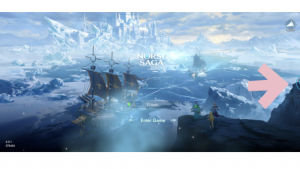
Step 1: Make sure your account is bound first — rewards can only be claimed on a bound account. Then, on the main screen, tap the PlayPark button. The event button will appear on the middle-right of your screen — tap it to open the rebate page.
Not bound yet? Check out How to Bind Your Account here.
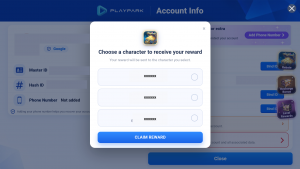
Step 2: If you have more than one character across servers, select the character you want to receive the rewards on.
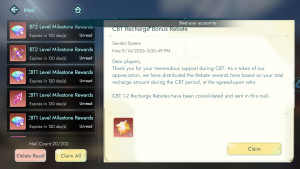
Step 3-1: CBT Rebate Event — Open the CBT Rebate Event tab and tap Claim to receive your rewards.
Step 3-2: Webshop Bonus Event — Open the Webshop Bonus Event tab and tap Claim to receive your rewards.
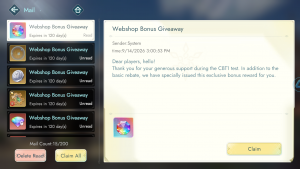
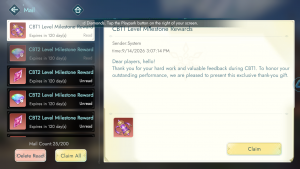
Step 3-3: Level Milestone Event — Open the Level Milestone Event tab and tap Claim. Done! All rewards will be sent to your in-game Mailbox.
💡 Before You Claim
- Your account must be bound — Guest accounts are not eligible.
- Double-check your selected server and character before tapping Claim.
- Rewards are delivered to your in-game Mailbox, not your bag.
Should you encounter any issues, please contact Support for assistance.
✦•······················•✦•······················•✦
ᛝ Norse Saga Official Channels ᛝ
Facebook: Norse Saga By PlayPark
Facebook Group: Norse Saga Official Group
✦•······················•✦•······················•✦
Norse Saga – A Journey Beyond Myth with Your Companions.
Magic Awaits!