



✦•······················•✦•······················•✦
✨❔What Are Tokens?
Tokens are a premium in-game currency in Norse Saga and can only be obtained through the official PLAYMALL WEBSHOP. Once a purchase is successfully completed, the Tokens will be delivered directly to your in-game account and are available for immediate use.
Each Token is equivalent to 10 Rainbow Diamonds, providing players with a convenient and flexible payment option for premium content. Tokens can be used to purchase a wide range of eligible in-game products, including Diamond Packages, bundles, Privilege Cards, the Battle Pass, special deals, limited-time offers, and other premium items available within the game.
✨How to Check Your Token Balance
- Top-up token via webshop.
⇒ Learn ‘How To Top Up’
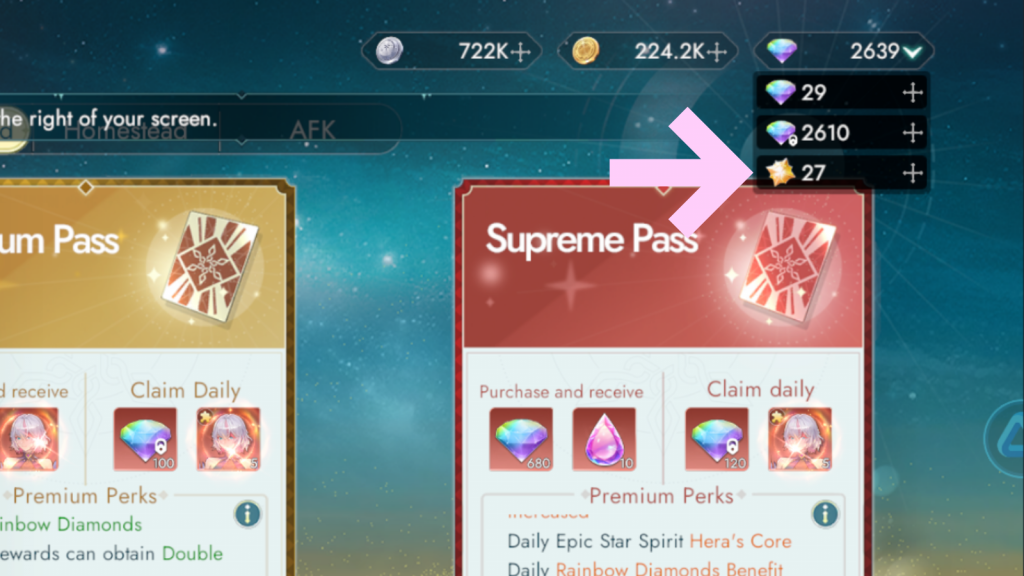
- Log in to Norse Saga & check the top corner of the game screen to view your Token balance.
✨How to Purchase Items with Tokens
Step 1: Find Eligible Items and Select Your Purchases
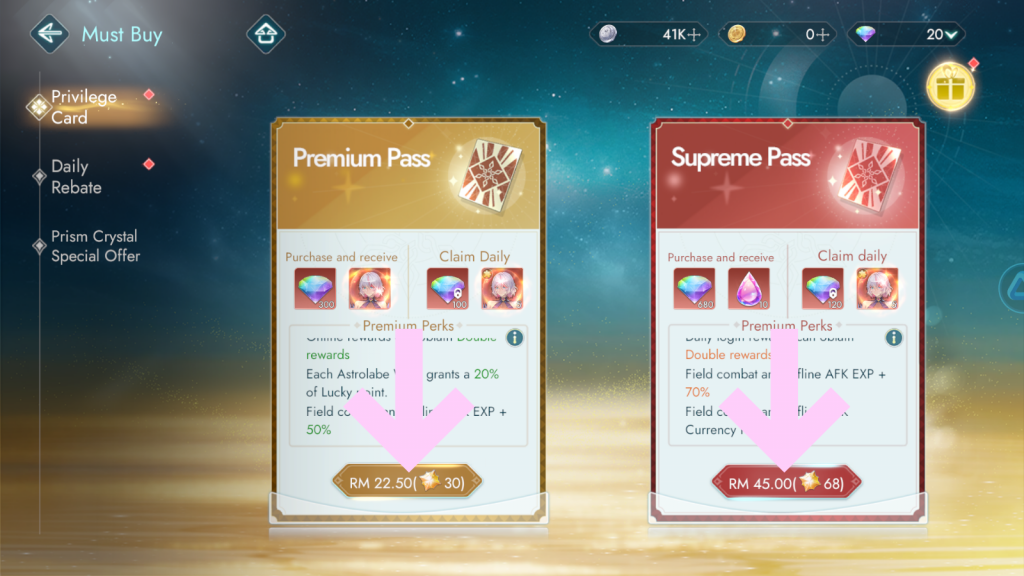
Any item that supports Token purchases will display its Token cost in brackets beside the item name or price. Open the desired tab and choose the item you wish to buy.
Step 2: Confirm the Transaction & Complete Your Purchase
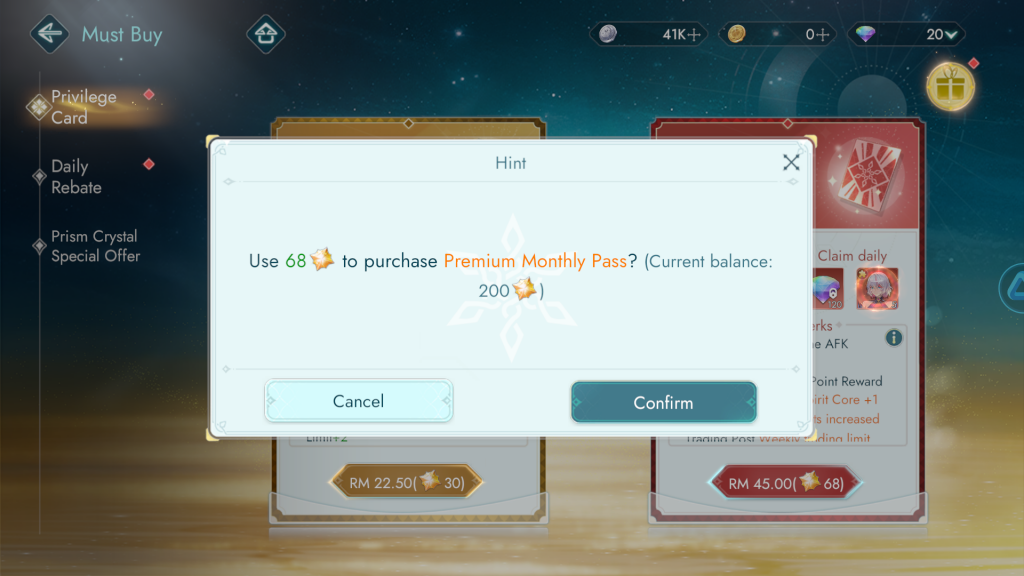
A confirmation pop-up will appear showing the Token cost and your current Token balance. Press Confirm to spend your Tokens. Your purchase will be delivered directly to your account immediately.
Should you encounter any issues, please contact Support for assistance.
✦•······················•✦•······················•✦
ᛝ Norse Saga Official Channels ᛝ
Facebook: Norse Saga By PlayPark
Facebook Group: Norse Saga Official Group
✦•······················•✦•······················•✦
Norse Saga – A Journey Beyond Myth with Your Companions.
Magic Awaits!